

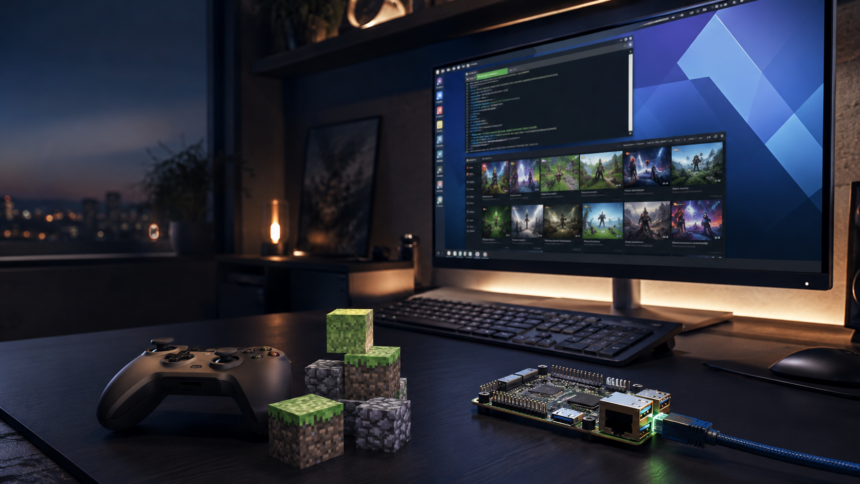
Plugboxlinux.org is a content website covering gaming, technology, Minecraft, software and Linux-related subjects. Its name also has a historical connection to PlugBox Linux, an early ARM-focused project that became part of the Arch Linux ARM story.
That overlap can be confusing. Someone searching for the domain may expect an operating-system download, while another visitor may be looking for gaming advice or a Minecraft tutorial. Understanding the difference makes the website much easier to use.
This guide explains what readers can find on Plugboxlinux.org, where the PlugBox name came from and what to check before relying on technical information from the site.
What Is Plugboxlinux.org?
The current Plugboxlinux.org website is an editorial platform rather than a conventional Linux distribution portal. Its homepage promotes technology explainers, gaming updates, Linux resources, software recommendations and Minecraft content.
The website’s About page describes it as a community-driven space for people interested in technology and digital life. The content is written for a broad audience, so many articles explain subjects without assuming that the reader has advanced technical knowledge.
Its main sections include In the Game, New Tech and Minecraft. Older category pages also show content about gaming hardware, mobile technology, Linux gaming and software.
Two Different Identities
The most important point about plugboxlinux.org is that the current website and the historical PlugBox Linux project should not automatically be treated as the same thing.
Today, the domain operates primarily as a publishing website. Historically, however, the PlugBox name was associated with an Arch-based Linux system for ARM-powered plug computers. These were compact, low-power devices that could function as home servers, network storage systems or lightweight development machines.
The ArchWiki’s list of Arch-based distributions identifies PlugBox as one of the earlier names connected with Arch Linux ARM. Old discussions on the official Arch Linux forums also show people using PlugBox Linux on devices such as the Seagate DockStar in 2010.
The name therefore carries real Linux history, but the present-day domain has a much broader editorial purpose.
The Linux History
According to the official Arch Linux ARM history, the project began in 2009 as PlugApps, an Optware-like distribution created for the emerging plug-computer market. It soon developed into an ARM port of Arch Linux with support for ARMv5 systems.
By the end of 2010, the project had produced a nearly complete port. In 2011, work from PlugApps and ArchMobile was brought together as a more unified ARM project. A surviving Arch Linux forum announcement explains that Arch Linux ARM would become the base while the PlugApps team continued producing guides and useful packages.
The project expanded to hard-float ARMv7 and adopted the Arch Linux ARM name in mid-2011. Support for additional architectures arrived later, including ARMv6 in 2012 and AArch64 in 2015.
This transition took the project beyond the original plug-computer market. In March 2012, the Raspberry Pi Foundation announced that Arch Linux ARM was available for the Raspberry Pi, bringing the lightweight Arch approach to a much larger group of ARM users.
The Modern Site
Modern Plugboxlinux.org serves readers interested in several areas of digital culture. It is not limited to command-line tutorials or embedded hardware.
The site’s published material ranges from operating-system discussions and gaming technology to software recommendations and general industry commentary. This variety makes the domain approachable, although it also means readers may need to use the categories or search function to find a particular subject.
Article archive pages normally display a title, publication date, author and short introduction. These details help readers judge how recent a post is before opening it.
Gaming Coverage
The In the Game section contains news, opinion pieces, technical explanations and guides related to digital entertainment. Topics include game design, first-person shooters, gaming economies, online multiplayer features and the technology used by game studios.
The word “gaming” is applied broadly. Alongside conventional PC and console subjects, the archive contains articles about social gaming, casino platforms, card games and betting. Readers looking only for video-game coverage should therefore check the title and category of each post before proceeding.
Linux users may find articles discussing compatibility, remote gaming, system performance and lightweight computing. These subjects can be helpful starting points, but hardware support and game compatibility can change quickly. Technical claims should be compared with current documentation from the relevant game developer, hardware manufacturer or software project.
Technology Coverage
The New Tech archive looks beyond gaming. It includes discussions of software, artificial intelligence, digital work, business tools and emerging computing trends.
Many of these articles are introductory rather than highly technical. That makes the section suitable for readers who want a practical overview before consulting detailed documentation.
Technology content has a short shelf life, however. Software versions, product specifications and platform policies can change within months. A useful habit is to check the article date and then confirm important instructions with an official source.
Minecraft Guides
Minecraft has a dedicated place on Plugboxlinux.org. The Minecraft section includes tutorials on navigation, survival, resources, multiplayer access and world settings.
For example, the site’s guide to checking coordinates in Minecraft Java explains the X, Y and Z coordinate system and discusses the F3 debug screen. Other posts cover finding coal, locating world seeds and resolving multiplayer problems.
These guides are aimed at players who want a direct answer without reading a long technical manual. Version differences still matter. Instructions that work in Java Edition may not apply to Bedrock Edition, while menus, commands and resource generation can change after an update.
Before following a guide, confirm the game edition, platform and version mentioned in the article.
The Linux Angle
The PlugBox name gives the website a recognizable connection to lightweight computing and open-source culture. That background is particularly relevant when the site discusses Linux gaming, system customization or low-resource hardware.
The current Arch Linux ARM project continues to provide a lightweight base for supported ARM devices. Its official website describes support for hard-float ARMv7 with NEON and ARMv8 AArch64 systems.
This does not mean that every modern article using the PlugBox name describes an officially maintained Linux distribution. Readers searching for installation images, device support or package information should consult Arch Linux ARM or another active distribution’s official documentation.
Plugboxlinux.org is best understood as an information website, not as a replacement for an official operating-system repository.
Finding Useful Content
The simplest way to use the website is to begin with one of its main categories. Gaming readers can open In the Game, technology readers can choose New Tech, and Minecraft players can go directly to the dedicated archive.
The built-in search function is more effective when the query is specific. Searching for “Linux” may produce a mixed collection of articles, while a phrase such as “Linux gaming performance” or “Minecraft Java coordinates” is more likely to surface a relevant guide.
Publication dates deserve attention. A general article about gaming history may remain useful for years, but a driver tutorial, installation guide or software comparison can become outdated quickly.
Author pages and article archives can also help readers find related material, particularly when a writer regularly covers the same subject.
Checking Accuracy
No general technology blog should be the only source used for security-sensitive or system-level changes. This applies to Plugboxlinux.org as well as larger publications.
Before entering terminal commands, installing unofficial packages or changing partitions, compare the instructions with the official documentation for your distribution. Make a backup before performing changes that could affect stored data or the operating system.
For gaming advice, verify compatibility through the game publisher, platform owner or active compatibility project. For Minecraft, check the official game documentation and confirm whether the instructions apply to Java or Bedrock Edition.
Links should also be reviewed before downloading anything. Confirm that the destination belongs to the expected developer and that the connection uses HTTPS. Avoid executables or scripts from sources you cannot identify.
These checks do not make the site less useful. They are sensible habits whenever a reader follows third-party technical guidance.
Who Should Visit?
Casual technology readers can use the site to become familiar with new tools and computing trends without starting with dense documentation.
Gamers may find explainers about game mechanics, hardware, industry developments and Linux-related play.
Minecraft players can use the focused archive to find answers about navigation, resources, multiplayer features and world management.
Linux enthusiasts may appreciate the site’s name, its occasional Linux coverage and its connection to the history of lightweight ARM computing. Advanced users, however, will usually need official manuals and project repositories for detailed installation or troubleshooting work.
Strengths to Consider
One of the website’s strengths is its range. Gaming, Minecraft and technology often overlap, especially when players are configuring hardware, hosting servers or choosing software. Housing these subjects on one website can make related information easier to discover.
The writing is generally structured for quick reading. Clear titles, short introductions and category pages help visitors decide whether an article matches their question.
The historical name also gives readers an opportunity to discover a less familiar part of Linux history. Plug computers played an interesting role in the development of small, affordable home servers before devices such as the Raspberry Pi became widely available.
Limits to Remember
The breadth of the website can also be a limitation. A reader expecting a Linux-only publication may encounter content about general entertainment, business technology or gambling. The domain name does not fully describe the range of its modern material.
Some subjects require more specialist detail than a general article can provide. Kernel support, graphics drivers, bootloaders and ARM device compatibility are highly dependent on exact hardware and software versions.
It is also important not to interpret the presence of a Linux-related article as proof that a named operating system is active or officially supported. For current distribution status, downloads and installation instructions, use the project’s official website.
Final Thoughts
Plugboxlinux.org is a broad gaming and technology publication with a name rooted in Linux history. Its current content includes gaming commentary, technology explainers, Minecraft tutorials, software discussions and occasional Linux-focused material.
The site is most useful as a place to discover topics and obtain accessible introductions. Readers can get more value from it by checking publication dates, selecting the correct category and confirming important technical details with primary sources.
The old PlugBox project remains relevant because it contributed to the development of Arch Linux ARM. The modern website, meanwhile, has taken the name in a wider editorial direction. Recognizing that distinction provides the clearest answer to what Plugboxlinux.org is today.
Frequently Asked Questions
What is plugboxlinux.org?
Plugboxlinux.org is a content website that publishes articles about gaming, technology, Minecraft, software and Linux-related subjects. The current domain functions as an editorial platform rather than a conventional operating-system download portal.
Is Plugboxlinux.org a Linux distribution?
The present website should not automatically be treated as an active Linux distribution. The PlugBox name has historical links to an early Arch-based ARM project, but that work became part of Arch Linux ARM.
What happened to PlugBox Linux?
PlugBox was one of the names associated with the early development of an Arch-based system for ARM plug computers. The wider project was renamed Arch Linux ARM in 2011 as it expanded to more devices and architectures.
Is PlugBox Linux the same as Arch Linux ARM?
PlugBox belongs to the project’s earlier history, but Arch Linux ARM is the later and broader identity. Users looking for supported devices, packages or installation information should consult the official Arch Linux ARM website.
What content does Plugboxlinux.org publish?
The site covers video games, gaming technology, Minecraft, software, digital trends and Linux. Its gaming category also includes some social-gaming, casino and betting-related material.
Does Plugboxlinux.org have Minecraft guides?
Yes. Its Minecraft archive includes guides about coordinates, resources, world seeds, multiplayer problems and other gameplay topics. Readers should check that a guide matches their Minecraft edition and version.
Can beginners use the website?
Many articles are written in an accessible style and can help beginners understand a subject. More advanced tasks, such as changing boot configurations or installing an operating system, should also be checked against official documentation.
Is technical information on Plugboxlinux.org always current?
Not necessarily. Technology, games and software change frequently. Readers should review each article’s publication date and confirm time-sensitive details through the appropriate official source.
Where should I download Arch Linux ARM?
Installation files and device-specific instructions should come from the official Arch Linux ARM website, not from an unverified third-party download page.
Is Plugboxlinux.org useful for Linux gamers?
It can provide introductions to Linux gaming, system performance and compatibility topics. For exact game support, graphics-driver requirements or troubleshooting, readers should also consult official platform documentation and current compatibility resources.
Read also Connectivity Issues HSSGamepad: Reliable Fixes for Pairing, Dropouts, and Lag